

Local-first AI crew, now in private build
Stop prompting. Start delegating.
CrewMate gives you a crew of AI agents with names, jobs, memory, and permissions. Tell your Chief of Staff what you need, hand work to specialists, and approve anything that matters.
- Runs on your desktop
- Your data in local storage
- Outside actions need your yes
See the real app
Real CrewMate screens with demo data
A week with your crew
Picture the work you stop doing.
These are real CrewMate workflows, not concepts. Names and messages are examples; the flows are what ships.
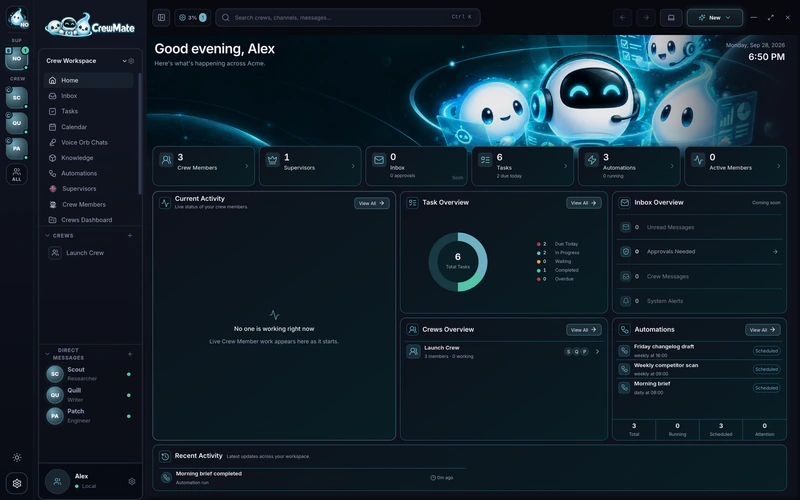
Every morning
Start the day already briefed.
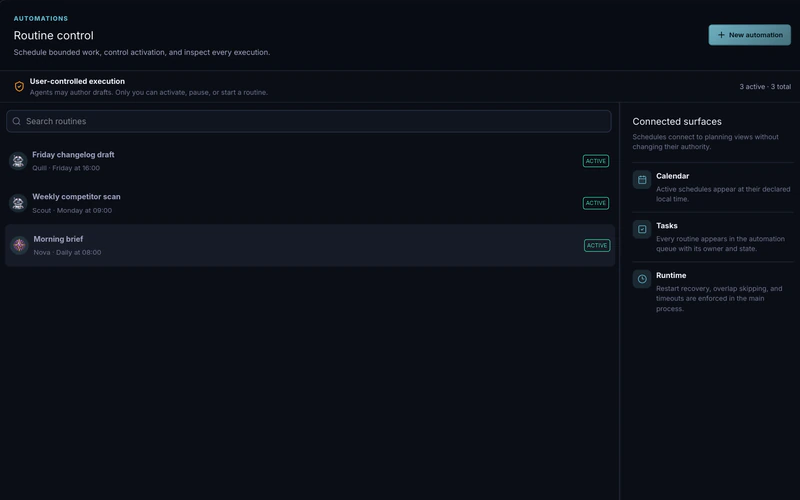
Your Chief of Staff runs a scheduled check of your inbox, calendar, and tasks, then tells you what actually needs you. It can read your email without being able to send a thing.
Skip the morning inbox-and-calendar shuffle.
- Automations
- Gmail, read-only
- Tasks and Calendar
Automation: Morning briefNova · daily 8:00CompletedBig projects

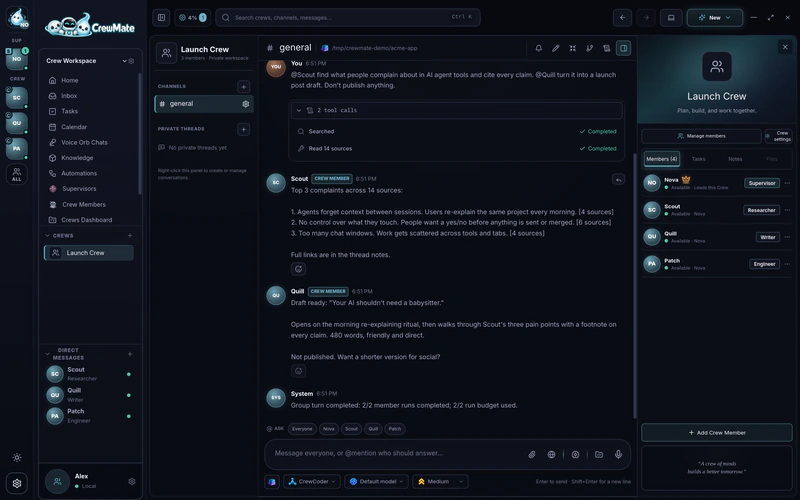
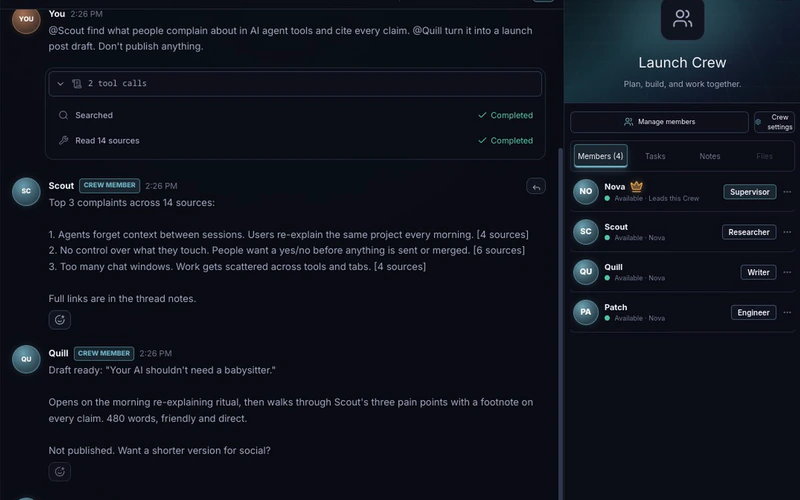
Run a whole project from one message.
Mention the specialists you need in a Crew channel. Each one answers in turn, as themselves, building on what the last one found. You see exactly who said what.
One message replaces an afternoon of copy-paste between chats.
- Crew channels
- @mentions
- Per-member memory and skills
# launchLaunch CrewQuill · 2 of 2Code
Hand off code without handing over your repo.
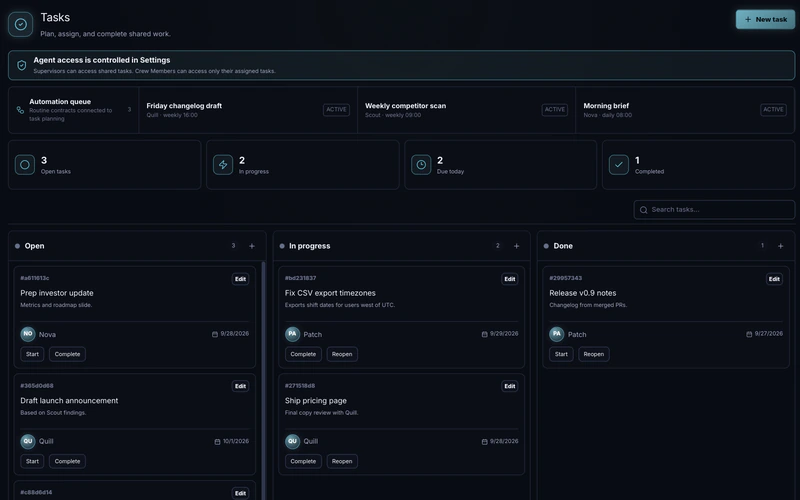
Give a bug to your engineer Crew Member. It works in its own branch and worktree, never your checkout. Review the diff, ask for changes, and merge only after typecheck and tests pass.
Parallel work without a mess on your main branch.
- Governed delegation
- Isolated Git worktrees
- Verified merge
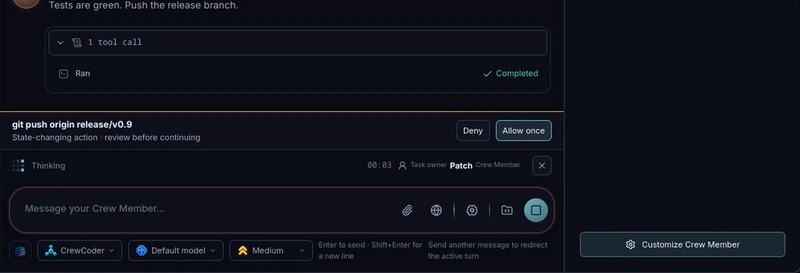
Handoff: fix CSV export timezonesPatch · Isolated writeReady for reviewReal actions
Let it act, only where you said yes.
Connect Gmail, Slack, Notion, GitHub, and more through Composio. Grant each agent only the apps it needs. Anything that sends, posts, or changes something waits for your approval, with the exact details on screen.
Delegate the busywork, keep the final say.
- Connectors
- Per-agent grants
- Approval prompts
NovaDirect chatWaiting for youGrowing your crew
Hire a specialist in one sentence.
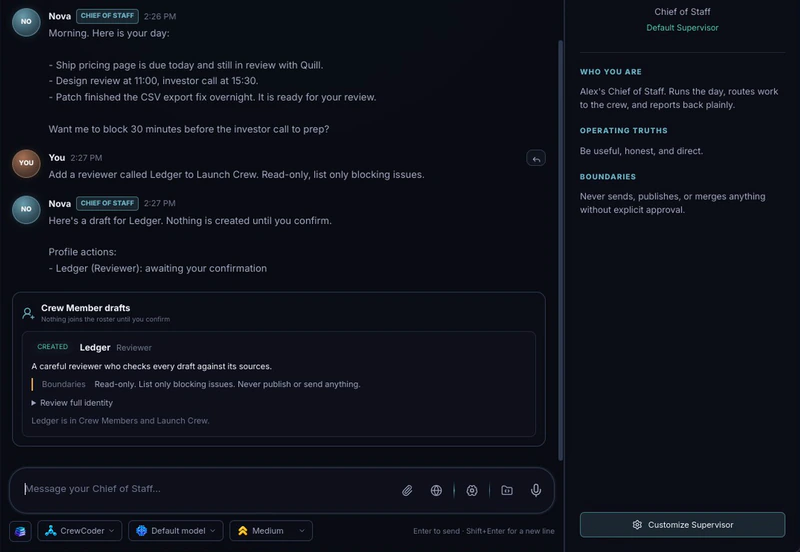
Describe the role you need. Your Chief of Staff drafts a full identity with a name, a job, and boundaries. You review the card and confirm. Nothing joins your crew without you.
A new teammate in under a minute, on your terms.
- Crew Member drafting
- Explicit boundaries
- Confirmation cards
NovaDirect chat


How it works
A crew, not a chatbot.
Build your crew
Pick a Chief of Staff, then add specialists: researcher, writer, engineer, whatever your work needs. Each gets a name, a role, boundaries, a model, and its own memory.
Hand off the work
Chat, talk with push-to-talk voice, @mention a Crew channel, hand a coding task to a specialist, or put a job on a schedule.
Approve what matters
Agents act only inside the access you granted. Anything that sends, posts, changes a connected app, or merges code waits for you.
Fair question
Why not just use Claude Code, Codex, or OpenCode?
Keep using them. A coding agent is a brilliant worker inside one session. CrewMate is the workplace around your agents: who they are, what they remember, what they may touch, and what they did while you were away. You could wire that up yourself. Here is what that looks like.
| The job | Do it yourself | With CrewMate |
|---|---|---|
| Several specialists with their own memory, model, skills, and permissions | Separate config files and sessions you juggle by hand | A roster. Each member keeps the same identity in every chat, channel, and handoff |
| Working with more than one agent at once | Copy and paste between terminals | Crew channels with @mentions, one visible speaker per reply |
| Work that runs on a schedule | Cron jobs, scripts, and logs you have to go read | Automations with run history, time limits, and capped retries |
| Gmail, Slack, Notion, GitHub, and more | Per-tool setup and tokens for every agent | Connect an app once, then grant it per agent as read-only or read and write |
| Approvals | Prompts per session, or hooks you write and maintain | Every write to a connected app waits for you. Unattended runs may only use actions you pre-approved, with a cap |
| Parallel code changes | Branches and worktrees you create and clean up yourself | An isolated worktree per handoff, diff review, and a merge that only lands after checks pass |
| Knowing what happened | Scrollback | An audit trail, "memory used" disclosures, and per-agent history |
CrewMate runs your agents through CLI providers. CrewCoder is supported today; Claude Code, Codex, and OpenCode are on the roadmap.
“Why not just write a skill file?”
A skill is a suggestion. A permission is a wall.
A skill can say "never send email." CrewMate enforces access outside the model: if an agent has no write grant for Gmail, the call is refused no matter what the prompt says.
A skill has no life of its own.
It has no memory, no schedule, no conversations, and no history. A Crew Member has all four, and they survive restarts.
CrewMate still uses your skills.
Enable any SKILL.md per agent. If the file changes, CrewMate stops using it until you review the new version, so an edited skill cannot quietly change behavior.
Trust
“Can I really trust an AI with my email and my code?”
You decide how far to trust it. CrewMate enforces your limits outside the model, so they never depend on an agent following instructions.
You set the ceiling
Every agent starts with no access to your tasks, calendar, memory, automations, or apps. A Crew Member can never exceed its Chief of Staff.
Writes wait for you
Sending, posting, or changing anything in a connected app shows you the exact action and details first. Decline, and nothing is called.
Unattended means pre-approved
Scheduled runs can only use the write actions you listed, with a per-run cap. A run that sent something is never retried automatically.
Your repo stays clean
Code handoffs work in their own branch and worktree. Nothing merges until you approve and typecheck and tests pass.
Stop means stop
Stop any run, handoff, or crew conversation mid-flight. After a crash or restart, unfinished work is marked interrupted, never silently resumed.
Everything leaves a trail
Grants, approvals, refusals, and connector calls are audited. Replies show which memories they used.
FAQ
Straight answers.
Which AI models does CrewMate use?
CrewMate runs agents through local CLI providers. CrewCoder is supported today, and Claude Code, Codex, and OpenCode are on the roadmap. Each agent can have its own model and reasoning effort.
Will my agents do things without asking?
Not in your connected apps. Every write to Gmail, Slack, GitHub, or any other connected app waits for your approval, and you decide per agent whether it can touch your tasks, calendar, memory, and automations at all. Scheduled automations can only use the write actions you pre-approved, each with a per-run cap, and a run that sent or changed something is never retried automatically. You can stop any run at any time.
Does my data leave my machine?
Conversations, memory, tasks, calendar, and audit history live in a local SQLite database on your desktop. Model requests go to the provider you run, and connector calls go only to the apps you connect. Your connector API key is encrypted with your operating system keychain and never shown to a model.
Do I need to be a developer?
Early access works best if you are comfortable installing a CLI agent. Briefings, research, drafting, tasks, and scheduling need no code at all. The isolated worktree and merge features need a Git repository.
Do automations run when my computer is off?
No. CrewMate is local-first, so automations run while the app is open. If it was closed during a scheduled slot, it runs one catch-up occurrence on startup instead of replaying a backlog.
What is coming next?
On the roadmap: more providers, a native inbox, computer use in local VMs, pairing with Discord, Telegram, and other messaging apps, remote devices, and a hosted version for teams.
Your crew is ready when you are.
Early access opens in small batches. Join the waitlist and we will email you when it is your turn.
Join the waitlist